Creative Ways to Use Instagram Carousel Posts for Your Business
Updated October 2026.
It’s a pattern we see again and again. A business spends two days on a Reel and it gets a few hundred views. The same week, a carousel made in twenty minutes, six plain slides answering a question customers keep asking, gets saved more than anything else they’ve posted. Then comes the question we hear on almost every discovery call: “Should we stop making Reels and just do carousels?”
The honest answer is no. But the question behind it is a good one. What they’re really asking is which format earns its keep for the time it takes. And for a lot of small and mid-sized businesses, the Instagram carousel is the most underrated answer on the platform.
We’ll be straight about one thing first. The earlier version of this post on our blog was a list of nice ideas with no data and no explanation of why carousels work. This version fixes that. You’ll get the current numbers, the mechanic Instagram itself has described, the sizes that stop your slides getting cropped, and the ideas we’d actually use.
What is an Instagram carousel?
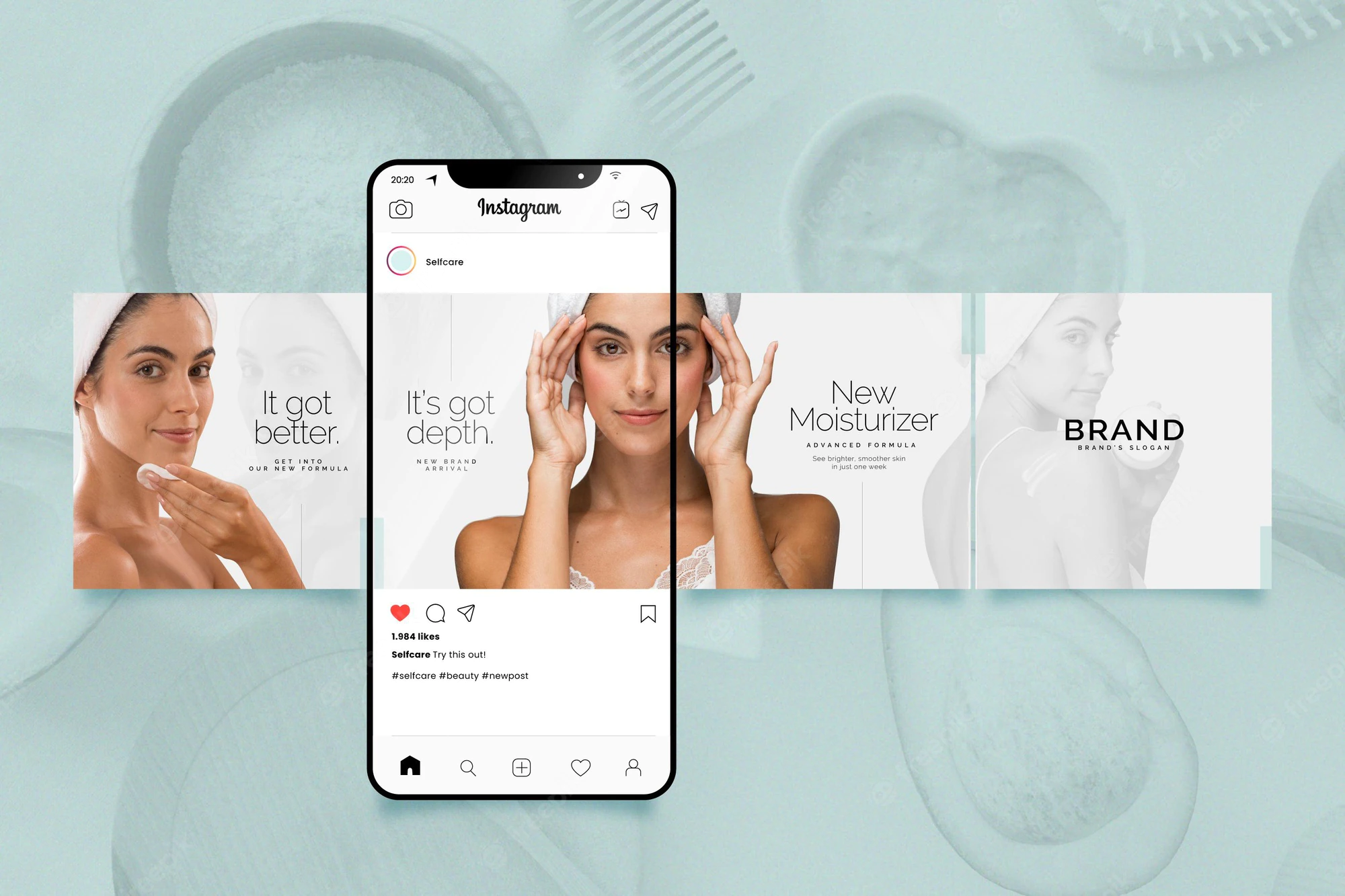
An Instagram carousel is a single post that holds up to 20 photos or videos, which people swipe through left to right. It shows up in the feed as one post, with dots under it telling people there’s more.
The limit used to be 10. Instagram doubled it to 20 in August 2024, after testing 15 earlier that year. You can mix photos and videos in one post, and since Instagram’s August 2023 update you can add a music track to the whole carousel.
Think of it as a short slideshow that lives in the feed. That’s the bit the original version of this post got right. One image catches attention. A carousel lets you finish the thought.
Do Instagram carousels still get more engagement than Reels?
Yes, narrowly. In Socialinsider’s 2026 benchmarks, carousels averaged a 0.50% engagement rate in Q2 2026, against 0.48% for Reels and 0.33% for single images.
That’s from Socialinsider’s Instagram benchmark study, which measures engagement as likes plus comments divided by followers. Its base data set covers 35 million posts from about 447,000 pages across 2025, and the page carries quarterly updates. The pattern has held for a while: carousels and Reels sit close together, and single images trail well behind.
Here’s how we read it. The Instagram carousel’s real advantage over a single image isn’t that Instagram “prefers” it. It’s that a carousel gets more than one shot at the same person, and it rewards the two behaviours Instagram cares most about, saves and sends. A good carousel is something people keep or forward to a friend.
Reels still win on reach to people who don’t follow you yet. So we don’t pick one. We use Reels to get found and carousels to get kept.
Why do Instagram carousels get a second chance in the feed?
Because Instagram often re-shows a carousel to people who scrolled past it, starting from the second slide instead of the first.
That’s not a growth-hacker theory. Adam Mosseri, who runs Instagram, said it himself in an October 2024 tip video. Social Media Today reported his words: if someone sees your carousel but doesn’t swipe, Instagram will “often” give it a second chance and move automatically to the second piece of media.
Read that carefully, because it changes how you build an Instagram carousel. Your second slide is a second cover. Most people design slide two as “the bit after the hook”. We’d rather you design it as a hook in its own right, because for some of your audience it’s the first thing they’ll see.
There’s a second piece of reach news people miss. In October 2024 Instagram said that carousels, and photos with music, are eligible to appear in the Reels tab. Lindsey Gamble covered the announcement and why it matters. So an Instagram carousel isn’t only for your followers any more. A strong one can travel.
How do you post an Instagram carousel?
Tap the plus icon, choose Post, tap the “select multiple” icon, pick up to 20 photos or videos in order, then edit, caption and share.
The steps from the original post still hold, with a few details that matter more than they look:
- Open Instagram and tap +. Choose Post, not Reel.
- Select multiple. Tap the stacked-squares icon, then your media in the order you want it seen. The number on each thumbnail is the slide order.
- Edit. You can filter each slide individually or apply one filter to all. Do the latter. Consistency is what makes a carousel look like one piece.
- Add music, captions, tags and location. One track covers the whole carousel.
- Share, or schedule. Professional accounts can schedule photo posts and carousels natively. TechCrunch reported the rollout to all professional accounts with posts schedulable weeks ahead. Instagram’s help page now sets the limit at 30 days ahead.
Our guide to the best Instagram apps for marketers covers the free tools we use to design the slides themselves.
What size should Instagram carousel slides be?
Make every slide the same size, and use 1080 x 1350 (4:5) or the taller 1080 x 1440 (3:4). Both fill more of the screen than a square, which means more space for your message.
Here’s the history in short. In January 2025 Instagram swapped square profile grids for taller rectangles. Then in May 2025 Mosseri said 3:4 uploads now show uncropped in the feed, carousels included, as 9to5Mac reported. Square 1:1 and 4:5 still work.
The thing that catches people is mixing sizes. In practice the carousel usually takes its crop from your first slide, and anything shaped differently gets trimmed to match. We cover the fix in the FAQs below.
What are the best ways to use Instagram carousel posts for business?
The best uses are the ones that need more than one frame: showing a product from several angles, teaching a process step by step, telling a story in order, and stacking proof. Here are the ten we come back to.
1. Show a product from every angle
An apparel brand can show every colour of the same piece. A tech company can walk through features one slide at a time. Each slide answers one buying question: what does it look like, how big is it, what comes in the box, what does it look like in use. A single photo can’t do that.
2. Teach something step by step
This is our favourite use of an Instagram carousel, and the one we recommend most to service businesses. Tips, how-tos, common mistakes, a checklist. A digital marketing agency can explain SEO basics across six slides. A fitness trainer can share a workout routine one move per slide. Educational carousels get saved, and saves are the signal that tells Instagram a post was worth keeping.
3. Give a preview of your service
The original version of this post had a good example, and we’re keeping it. Fitness coaches post a few workouts from their programme as a carousel. Their real product is online coaching, so a little insight into what the sessions look like makes people curious about the rest. Any service business can do the same with a sample of the deliverable.
4. Go behind the scenes
People like seeing how things get made. Production, packing orders, a team meeting, setting up for an event. Behind-the-scenes slides make a brand feel like people, and that builds trust faster than polished product shots.
5. Tell your brand story in order
Your first office. The first product sample. The day you hit a milestone. A carousel is built for chronology, because the swipe is the timeline. It’s one of the best ways to build the sense of a close-knit community around a brand.
6. Recap an event
Regular users have done this for years. Capture the energy of an event, the setup, the crowd, the speaker, the moment it peaked, and let people relive it slide by slide. If you’re running events online, our ideas for hosting a virtual event pair well with a recap carousel afterwards.
7. Recommend things
Top five tools. Three books we’re reading. The products we’d buy again. Recommendations work because they’re useful and they show your taste. Ask people to add their own picks in the comments, and you’ve turned a post into a conversation.
8. Feature your customers’ content
User-generated content is social proof you didn’t have to stage. Ask permission, credit the creator, and put the best customer photos into one carousel. People appreciate being featured, and it shows real people using what you sell.
9. Share reviews
Screenshots of real reviews and messages, one per slide. The original post’s example still works: an author can share photos of readers with the book alongside the kind messages they’ve sent. Keep them real and unedited. Tidied-up testimonials read as fake.
10. Before and after
Renovations, design work, skincare, a website refresh. Slide one is the “before”, the last slide is the “after”, and the slides between show how you got there. It’s the clearest way to show what you do without claiming anything you can’t show.
For more ideas across every platform, see our 25 social media content ideas.
What gets an Instagram carousel pushed down?
Reposting other people’s slides. In April 2026 Instagram extended its originality rules to photos and carousels, and accounts that mainly post unoriginal content may not be recommended to new audiences.
Engadget reported the change, and the detail that matters is this: a watermark or a credit line doesn’t make something original. The “quote carousel” pages that collect other people’s tips and repost them are exactly what this targets.
The other things that sink carousels are less dramatic but more common. Tiny text that nobody can read on a phone. Slide one that’s a logo instead of a hook. Twelve slides when four would do. And a final slide with three different calls to action, so nobody does any of them.
If you’d like us to look at your last ten posts and tell you which formats are pulling their weight, we do that on a free strategy call.
What clients ask us about Instagram carousels
Do Instagram carousel posts get more engagement than Reels?
On average they do, by a small margin: Socialinsider’s Q2 2026 data puts carousels at 0.50% and Reels at 0.48%, but Reels reach far more non-followers.
The real question is usually “where should my limited time go?”, and the averages hide the answer. Engagement rate is measured against followers, so it tells you how your existing audience reacts. It says nothing about how many new people found you. That’s where Reels still earn their place.
What we see when accounts lean too far either way is predictable. All-Reels accounts burn out the team, because good video takes hours, and their followers rarely save anything. All-carousel accounts stay pleasant and stop growing, because they mostly reach people who already follow them.
The tradeoff is time against reach. A carousel takes a fraction of the production effort of a decent Reel, and it builds trust with people who already know you. A Reel costs more and finds new people.
Our rule: if growth has stalled, go roughly two Reels to one carousel. If followers aren’t converting into enquiries, flip it to two carousels per Reel, and make those carousels teach something. Check the result in your Insights after a month. Our guide to Instagram analytics shows which numbers to compare.
Why does Instagram crop the photos in my carousel?
Because a carousel usually takes its shape from the first slide, so any slide with a different aspect ratio gets trimmed to match.
Nine times out of ten, when a client sends us a screenshot of a product with its edges chopped off, the first slide was square and the rest were portrait. Or the first slide was a 3:4 photo straight off the phone and the rest were designed in Canva at 4:5. Instagram doesn’t warn you clearly. It just crops.
Here are the numbers that avoid it. Design every slide at 1080 x 1350 (4:5), or 1080 x 1440 (3:4) if you want the full height that Instagram started showing uncropped in May 2025. Keep text and faces inside the middle of the frame, because the profile grid shows a narrower crop than the feed does. You’ll see guides mentioning ways to mix sizes. We couldn’t confirm any of them on an Instagram source, so we don’t rely on them.
The cost of a taller format is that some older templates and ad placements still assume 4:5, so you may need two versions of the same design.
Our rule: pick one size per carousel before you design anything, and check the preview on your phone before you share. If anything is cropped there, it’ll be cropped for everyone.
Can you rearrange or add photos to an Instagram carousel after posting?
You can delete slides and, since March 2026, reorder them after posting, but you still can’t add new slides to a published carousel.
This one causes real panic, usually ten minutes after posting, when someone spots the wrong photo on slide three. Deleting individual slides has been possible since November 2021, as long as at least two remain. Reordering arrived in March 2026, as Social Media Today reported. You open Edit, long-press a slide and drag it. If you can’t see the option yet, update the app, because rollouts reach accounts at different times.
What you can’t do is add a missing slide. The failure mode we see is deleting the whole post to fix it, which throws away every like, comment and save the post had already earned, and those early signals are what help a post travel.
The tradeoff: a small fix in place keeps the engagement. A full repost restarts from zero.
Our rule: if the mistake is order or one bad slide, edit in place. If a key slide is missing or something is factually wrong, delete and repost within the first hour, before the post has built much momentum.
Can Instagram carousels have music?
Yes, you can add one music track to the whole carousel, though not a separate track per slide.
Instagram added music to photo carousels in August 2023. Music matters more than it used to for one reason: Instagram has said that carousels and photos with music are eligible for the Reels tab, which puts a still post in front of people who’d normally only see video.
The catch for businesses is licensing. Meta’s music guidelines say using music for commercial purposes isn’t allowed without the right licences, which is why business accounts often get a narrower library than personal or creator accounts. If a trending song isn’t available to you, that’s usually why, and it’s not a bug to work around.
The failure mode we see is choosing a track that fights the content. A loud trending song on a carousel about a serious topic, say a medical clinic’s aftercare steps, makes people swipe away before they read slide two.
The tradeoff is reach against tone. Music can help a carousel travel, but it also sets a mood you have to live with.
Our rule: add music when the carousel is visual and emotional, such as a product, a place or an event recap. Leave it off when people need to read, and keep the track quiet enough that it doesn’t compete with the words.
Can you boost an Instagram carousel?
Yes, a professional account can boost a standard carousel, but carousels that use full-screen, variable-size images can’t be boosted.
That restriction surprises people. When Instagram started allowing variable image sizes in carousels in 2024, Social Media Today reported that those posts couldn’t be promoted. So if the Boost button is greyed out on a carousel, the format is the first thing to check.
The bigger question is whether you should boost at all. Boosting is the quick version of advertising. It optimises for simple goals and gives you limited control over placement and audience. Building a carousel ad in Ads Manager takes longer but lets you choose the objective, test versions and track results properly.
The failure mode we see most is boosting a carousel that did well organically and expecting the same result from cold audiences. Your followers liked it because they already trust you. Strangers don’t.
The tradeoff is speed against control.
Our rule: boost a carousel only to push a post that’s already outperforming, with a small budget and a clear goal like profile visits. For anything you’d measure in sales or leads, build it in Ads Manager instead, or talk to someone who runs those campaigns daily.
How many slides should an Instagram carousel have?
Use as many as the idea needs, which for most business carousels is six to ten, even though the limit is 20.
People ask this because they’ve heard more slides means more time spent on the post, and more time means more reach. There’s some logic to it. But every extra slide is another place for someone to give up, and a carousel that loses people at slide five sends a weaker signal than a tight one people finish.
Here’s how we size them. A product carousel needs one slide per buying question, usually four to six. A how-to needs one slide per step plus a hook and a closer, often seven to ten. A brand story or event recap can run longer, because the pictures carry it, and that’s where 15 to 20 slides can work.
The failure mode is padding: splitting one sentence across three slides to reach a number, or adding filler photos to an event recap. People notice, and they stop swiping.
The tradeoff is depth against completion.
Our rule: write the carousel as a list of points first. If a point can’t fill a slide on its own, merge it. If you need more than ten slides for a teaching carousel, split it into a series and link them in the captions. For how often to post a series like that, see how often you should post on social media.
What should you do before you post your next Instagram carousel?
Write slide two as if it were the cover, design every slide at the same size, and end with a single ask. Then check the preview on your phone.
Instagram carousel posts are more than a set of images. They’re the format that lets a business finish a thought on Instagram, and the data says they still hold their own against Reels for engagement with the people who already follow you. Use Reels to get found, carousels to get kept, and make sure everything you post is yours.
If you’d like to go further, our guide to Instagram Stories and our design tips for social media campaigns are the natural next reads. And if you’d like carousels like these to reach buyers beyond your followers, that’s what our Meta ads agency does. If you’d just like a second opinion, send us your last three carousels and we’ll tell you what we’d change.


